Blog of Leonid Mamchenkov

You just stepped in a pile of posts.

Entries Tagged ‘Browsers’

Back to Mozilla Firefox

About a month ago I praised Chromium browser (and Google Chrome incarnation of it).  It’s fast, slick, and like Firefox has a gadzillion extensions.  Unfortunately, I switched back to Mozilla Firefox for now.  And as much as I’d like to use Chrome, there is an issue that annoys me enough not to – profile corruption.

As any other young application, Chromium crashes quite often.   That is understandable.  But the problem is that every time it crashes, my browser profile is corrupted, which results in loss of history, saved passwords, and open tabs.  That’s just something I can’t tolerate.  Crash  all you want, but bring me right back to where I was, when I restart your sorry butt!

Hopefully this problem will annoy enough people for someone to step up and fix it.

The amazing Chromium

Being a web worker, I spend a lot of time in my browser. Over the years, I’ve used pretty much everything – from early versions of Netscape and Microsoft Internet Explorer, to text-mode browsers like lynx, links, and w3m, through a whole bunch of Linux desktop browser like Konqueror and Galeon, through mobile browsers, through the latest versions of Opera and Mozilla Firefox. And out of all that variety, Mozilla Firefox was pretty much my only true love browser. It was reasonably fast, free, open source, and with a billion of extensions.

In fact, I accumulated so many extensions that I had to group them into four different Firefox profiles. With all those extensions, I tweaked and tuned my browsing experience to exactly match my needs. And I was happy for a long time. And I couldn’t even think of leaving Firefox for another browser.

Lots of people complained (and still do) about Firefox stability. But I never had any major issues with it. My sessions were stored and backed up automatically, and in those rare cases when the browser crash, I’d just start a new instance and it would automatically open all windows and tabs and bring me back up to speed all by itself.

Most people complained about Firefox performance. Well, I can understand them. It does feel slow and sluggish sometimes, but I was thinking of it as a rather cheap price to pay for all the extensions that I had. Opera, for example, is a much faster browser, but doesn’t have even 1% of the extensions that I use. And that makes it pretty much useless to me. No matter how fast it is.

So I was mostly happy with my browser. I loved it and it loved me back. And then Google released their vision for a modern browser – Chromium. At first, it didn’t even run on Linux, which is my preferred desktop operating system. So I didn’t bother. Then it ran, but people were saying that there were no extensions what so ever. So I didn’t bothered again either.

But the hype was growing, and people were shouting all over the web about how fast and how convenient Google Chrome is. So I just had to try. I thought, I’d download and install it, and use it for a couple of days, just to get my own opinion of it. That was the very beginning of December 2009 and I wasn’t even remote thinking of switching to another browser.

Now that it’s almost middle of February 2010, two and a half month later, I have to confess. I switched to Google Chromium. But that’s not the most surprising thing ever. What’s extremely surprising, at least to myself, is that I switched to Chromium the first day I tried it. Without even knowing.

It was indeed blazing fast. Super-fast. Super-sonic even. Convenient – yes, but it was way faster than I though was even possible for a browser. Extensions were missing, but I was saving so much time with the fastest browser experience ever, that I could do anything my extensions did manually, and would still have plenty of time left. I was shocked and hooked.

And about two weeks later, when I just started to get used to how fast a browser can be, Google opened up their Chromium extensions site. So now I also had some extensions to install. And which I did. And there was no going back.

To this day, Chromium is my default, primary, and mostly preferred browser. It does still have a few shortcomings and things that I’d want different, but all of them are nothing compared to the performance boost that this browser brought into my web life.

What is a browser?

We, the technical people, most often have a very distorted perspective of the real world.  We often expect people to know much more than they should, and when they don’t, we often make fun of them.  On one hand, there is a logical seed to such behaviour, because if someone is using a tool, it can be expected that he knows something about a tool.  For example, when you drive a car, people usually expect you to know that the car has engine and a gearbox, that it needs petrol and oil, that wheels must be inflated,  that you push accelerator pedal to go faster and break pedal to go slower, and so on and so forth.  On the other hand, there is so much one needs to know these days that it’s hard to say what is an acceptable level.  After all, that’s what we have professionals for.  And I doubt that, say, lawyers or medical doctors make fun of people not knowing much about law or medicine.

Back to the technical people and our distorted perception.  It’s good to “synchronize” with the world once in a while.  It’s good to see what is it actually “normal” people know and what they don’t.  This helps in understanding those “normal” people better.

For example, there are hot discussions all over the Web about which browser is the best and how to promote them and how to make more people switch to the best browser.  But rarely we think about “normal” people and ask ourselves -- “do they even know what a browser is?”.  Gladly, though, some people do.  Here is a street survey video.

Just think about it!

Less than 8% of people who interviewed on this day knew what a browser was.

What can we do?  We can stop arguing right there and start with telling those “normal” people what a browser is.  Once they know, we can go further by telling them which ones are available, how they are different, and help them install and get full advantage of the one they like the most.

(via Lifehacker)

Running simultaneous Firefox sessions with different profiles

The more and more I use Firefox, the more add-ons I install, and the heavier it becomes.  Recently I got to the point where I am annoyed by all the heavy weight functionality, but cannot remove it complete because I need it occasionally.

The solution to my problem turned out to be pretty simple, even if it required some Google searching and IRC chatting – multiple profiles.

By default, when you run Firefox for the first time, it created a default profile to store all your stuff – saved passwords, bookmarks, add-ons, etc.  However it is possible to create more profiles and separate things a bit.  For example, I currently have three profiles:

  • Browser.  I use this one for generic browsing stuff, such news reading, email, etc.  Firefox add-ons for Gmail, Google Calendar, YouTube, Flickr, and other major sites I used frequently are installed under this profile.
  • WebDev.  I use this one for my web development needs.  Web Developer, Firebug, Live HTTP Headers, and any other add-ons that help me do my job are installed under this profile.
  • Default.  I keep this one clean and empty.  Sometimes I want to see how  site behaves in the browser with default settings – for this I use the Default profile.

Creating this profiles in very easy.  As per Firefox documentation, all you need to do is close all current Firefox windows, and then run Firefox from command line with -ProfileManager parameter.  A small window will popup that will give you options to create, rename, and delete profiles, as well as select with which profile to start the new session.

The problem that I came across was running several Firefox sessions in parallel, each with its own profile selected.  I could easily select the profile for the first session, but when I was starting up the second session, it would just reuse the same profile from the first session.

The solution to this problem is either setting MOZ_NO_REMOTE environment variable to 1, or specifying -no-remote parameter on the command line.  The -no-remote parameter on the command line seems to be a recent addition to Firefox, so if it doesn’t work yet for your version of the browser, you’ll need to fall back on to the MOZ_NO_REMOTE environment variable.

So, if you have a recent Firefox version, you need to run (updating your desktop and menu shortcuts seems like a good idea):

[user@host dir]$ MOZ_NO_REMOTE=1 firefox -ProfileManager

If you want to start Firefox with specific profile (e.g.: DesiredProfile), you can do so with

[user@host dir]$ MOZ_NO_REMOTE=1 firefox -P DesiredProfile

Alternatively, you can export the variable globally, by adding the following line to your .bashrc file

export MOZ_NO_REMOTE=1

If you have a recent version of Firefox, then the command changes to:

[user@host dir]$ firefox -no-remote -P DesiredProfile

Other things that you might want to keep in mind are:

  • Some add-ons will be common between your different profiles.  For example, I want to have my delicious bookmarks available to me everywhere.  For these cases, you’ll need to install the same Firefox add-on to every profile that you will need it at.
  • Some bits of configuration (such as custom keyboard shortcuts, for example), will need to be configured in each profile separately.
  • You might want to have a different Firefox theme for each of your profiles, so that it’s easier to see where you are visually.

"Browser facts" from Microsoft

Google Blogoscoped brings to our attention Microsoft’s Browser Comparison chart.

MS Browser Comparison Chart

MS Browser Comparison Chart

This is an excellent marketing campaign.  I am a big fan of using humor in the advertising, and this is a good example of it.  Everyone who has every tried to build a web page knows how horrible the state of the modern browsers is, and how even more horribly standing out Microsoft Internet Explorer is.  It’s so horrible that it is even hard to make it funny, but this time Microsoft succeeds.

Just to balance it out a little bit, here are a few random charts that I picked from Google Images search results for “web developer time chart“.

Breakdown of time spent on web development

Frontend web development

Time breakdown of modern web design

Flickr on black

Being a huge fan of Flickr, I am always trying to bring more people to the service.  Because more people = more images and more comments, which, of course, means more fun and inspiration.

One of the most frequent reasons NOT to use Flickr that I’ve heard coming mostly from amateur and professional photographers was that Flickr is only available with white background and only with up to medium-sized images.  That is true.  While Flick is constantly improving their service, some features are still not there.  And maybe they are not coming any time soon.  But.  That doesn’t mean that there is no work around.  After all, the world of technology is blessed with plenty of excellent open source software these days.  So, here is how you can solve the problem of size and color, if you are one of those people who prefers it the other way around.

  1. Get yourself a copy of an real web browser – Firefox.
  2. Install Greasemonkey extension for Firefox.
  3. Install Flickr On Black user script for Greasemonkey.

Once you’ve done the above steps, go to Flickr and find a picture that you want to enjoy on black or in a different color.  On the image page, scroll down to the part where you can see “Additional information” on the right side.  Among them, you’ll see a few new links.  “View on black: Regular, Large” will be among them.

Click, and you are done.  The link will take you to another page, which will look something like this.  You can switch between Regular and Large size, as well as between black and white backgrounds right on that page.

P.S.: While you are getting Flickr on Black user script for Greasemonkey, look around.  There are thousands of other scripts to customize anything and everthing from Google search results and GMail to IMDB movie information and Twitter messeging.

P.P.S.: Alternatively, you can take a look at Flickr “Lights Out” or “Flickr in mostly black and orange” user scripts for Greasemonkey.

P.P.P.S: Many Greasemonkey scripts work perfectly in browsers other than Firefox – Opera, Safari, etc.  But I’d still recommend to use Firefox.

Google Chrome – a new punch in the browser fight

For the last few days, the biggest thing in the technical news is Google Chrome browser (check the comics book, introducing the browser, download beta).  Sure, we had our share of browser wars, and we still do, but this is something completely different.  Most of today’s browsers started back in the days when the Web was totally different.  Since then, some browsers changed more than others.  Some new ones appeared.  But there was no a big break through.  It was mostly an evolutionary approach.

I’m glad to see these big news from Google, that they decided to create a new browser from scratch.  They built it with solutions to many of the today’s problems.  They’ve put some flexbility for the future.  And it seems like they’ve thought a lot about it.

I absolutely support their choice of open source in this matter.  Nobody, not even Google can build a browser that will satisfy everyone and everything, and then keep developing and maintaining it.  That’s not possible with the current state of the Web affairs.  The only way to pull it off is to open source it, so that the Web itself could help them with this mega task.  Also, it’s nice to see that they don’t want to reinvent the wheel either – taking both WebKit (open source web rendering engine) and V8 (open source JavaScript implementation) is smart decision.

It’s nice to see some real competition in the browser world.  Microsoft’s Internet Explorer has changed a lot in the last few years, and the biggest reason for those changes was Mozilla’s Firefox.  Firefox changed a lot too, but it sure could use a push from another open source product.  Google’s Chrome could be exactly that product.

Also, for once it would be nice to see a browser built by someone who knows the Web, and not how to build software.  Yes, browser is a software, but it’s not on its own.  You need to know more and have access to a lot more data to build a good browser.  In particular, what, who, and how uses the Web.  Neither Microsoft, nor Mozilla, nor Opera Software have these information.  Or at least not on the scale that Google has.

And, of course, there always will be downsides to any good initiative.  In the case with Google Chrome, my biggest concern is the situation with themes and extensions.  Firefox has an excellent community in this regard.  This community has built all possible and impossible thems and extensions for practically anyone anywhere.  And it still continues to do so.  Google Chrome starts from scratch, so there won’t be anything for some time.  And since the whole browser thing is new, it’ll need to start with a new set of developers, testers, users, and so on.  And so it will take them some time build that all up.

As with anything, there are a billion of other ways to look at Google Chrome, the way the Web is going, the way Google is going, the way software development in general and IT as a whole is going.  But I’ll leave that up to you.  Here are, however, a few links to get you started.

Firefox extensions

Yesterday was a somewhat slow day, so I spent some time on the housekeeping of my Firefox browser.  Somehow I managed to accumulate a lot of extensions, themes, plugins, bookmarks, bookmarklets, and what not.  It felt like a good time to clean the mess up a bit.

I spent about two hours going through the list of all installed pieces, upgrading outdated versions, changing old solutions to the modern alternatives, getting new tools, and so on.   I have to say that after that effort my Firefox works faster, and it suits me better now.  One of the biggest changes from my previous setup became the use of Tab Kit extension.  Among its many features, it has the one that I’ve been passively looking for for a long time now – tab bar on the right side, instead of top, but not as a part of the sidebar, and with a tree view.  Combined with Aging Tabs extension, the result is exactly the way I wanted it.

(it is better in real life than it is on the screenshot)

Now when I open links from the site in the new tabs, these new tabs are organized in a tree like structure.  Tabs that I haven’t yet visited are highlighted in green.  Current tab is highlighted in blue, as usual.  And the rest of the tabs are coloured in different shades of grey, depending on how long ago I last viewed them.  Also, because the tab bar is separate from the sidebar, I can get an additional panel on demand, with an application that I need the most at the moment, without sacrificing my precious tabs.

And just in case you are wondering which other extensions I am using, continue reading for the list of all extensions, which was generated by one of the extensions on that list.

[Read the rest of this entry...]

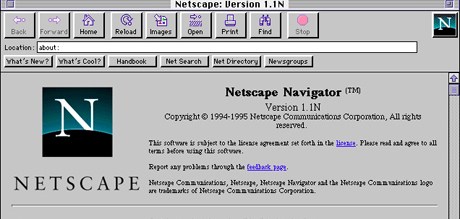
Good bye, Netscape

People all over the web are saying good bye to Netscape.  Since Mozilla and Firefox started to get better, Netscape sort of faded away.  Now it faded away so far that AOL decided to end the support for the browser. This is the time when thousands of people all around the world, including yours truly, suddenly felt very old and broke out into uncontrollable nostalgia…

If you want to read more about the sentiment, here are some links for you:

The state of browser affairs

First, a little joke to set the scene (forgive a rough translation from Russian)…

Lion, the king of all animals, was running some statistics over his animal kingdom.  He called all animals and made the speech.  “Dear all,” – he said, – “I am trying to figure out how to direct the educational program in the upcoming year.  For that I need some stats.  Those of you who are strong, please stand on my right.  Those of you who are smart, please stand on my left.  And let me count you…”

Strong animals – elephants, bulls, hippos, etc – all moved by the lion’s right paw.  The smart animals – beavers, rats, foxes, etc – grouped by lion’s left side.  When the dust settled, there was a one animal still running around blubbering something.  All attention turned towards the creature, and everyone saw the monkey.  It was running back and forward from one group to another and back again, thinking out oud: “strong to the right, smart to the left.. .strong to the right, smart to the left… and me? what about me?  Do I have to cut myself in half or what?” …

For the last few days, I feel a little bit like that monkey.  The thing is that I’m using two browsers right now, I can’t continue using two browsers, and I can’t pick one.  Those of you following me on Twitter might be somewhat aware of the situation.

I love Firefox.  I’ve been using it for years, and I don’t see it going anywhere.  It has plenty of functionality (especially through plugins and extensions) that no other browser has.  It does whatever I want it to do and then a little bit more.  But it’s so slow that I can’t stand it.  I have removed all extensions that I don’t use.  I have disabled all extensions that I use from time to time.  I read all optimizations tips on the web and tried a few thoughts of my own.  It helped, but not enough.  Nothing has solved the problem.  Scrolling is still slow.  Especially with a few tabs open.  Switching between tabs is slow. Opening a new tab is slow.  And these are things I do a few thousand times a day.  Even milliseconds count for this operations.  Firefox allows itself to spend almost full seconds.

On the other hand, I have Opera – a fantastically fast browser.  It even has a lot of features that make browsing the web so pleasant. Tabs, search bar, downloads management, history and bookmarks, fast dial, notes, and many more.  But.  Those aren’t enough.  Even with recently introduced widgets it still doesn’t cover the functionality that I need.  By far.  Not even 50%.  But it’s so fast that it almost makes me not care.  Almost.

Opera has practically no integration with social services – something that I work a lot with.  No comparison can be made with Firefox extensions for Twitter, Flickr, and del.icio.us here.  It has practically no integration with other, less social, online tools – specifically the Google pack of services (Gmail, Calendar, Reader, etc).  And it misses the most important area of my work – web development.  Source code formatting, highlighting, editing, analysis, testing, troubleshooting…

I am confident that the situation will improve and resolve itself pretty soon.  Firefox is getting a lot of momentum and already plenty of optimizations went into upcoming Firefox 3.  Opera is getting a lot of hype and user base on mobile devices.  People are starting to develop for it.

But I can’t wait…