Europa or frying pan? One of these is Jupiter’s moon Europa, the rest are frying pans. pic.twitter.com/XqQn7uUwjW
— NASA Europa Clipper (@EuropaClipper) August 21, 2015
Via kottke.org.
All posts across the whole website belong to this category. They might also belong to some other categories as well, but this one holds all of them. Hence the descriptive name – All.
Europa or frying pan? One of these is Jupiter’s moon Europa, the rest are frying pans. pic.twitter.com/XqQn7uUwjW
— NASA Europa Clipper (@EuropaClipper) August 21, 2015
Via kottke.org.
I am speechless! Oh. My. God! Look at this beauty! A whole bunch of classic DOS games like Doom, Dangerous Dave, and Golden Axe that you can play in the browser.

I’m literally crying happy tears right now…
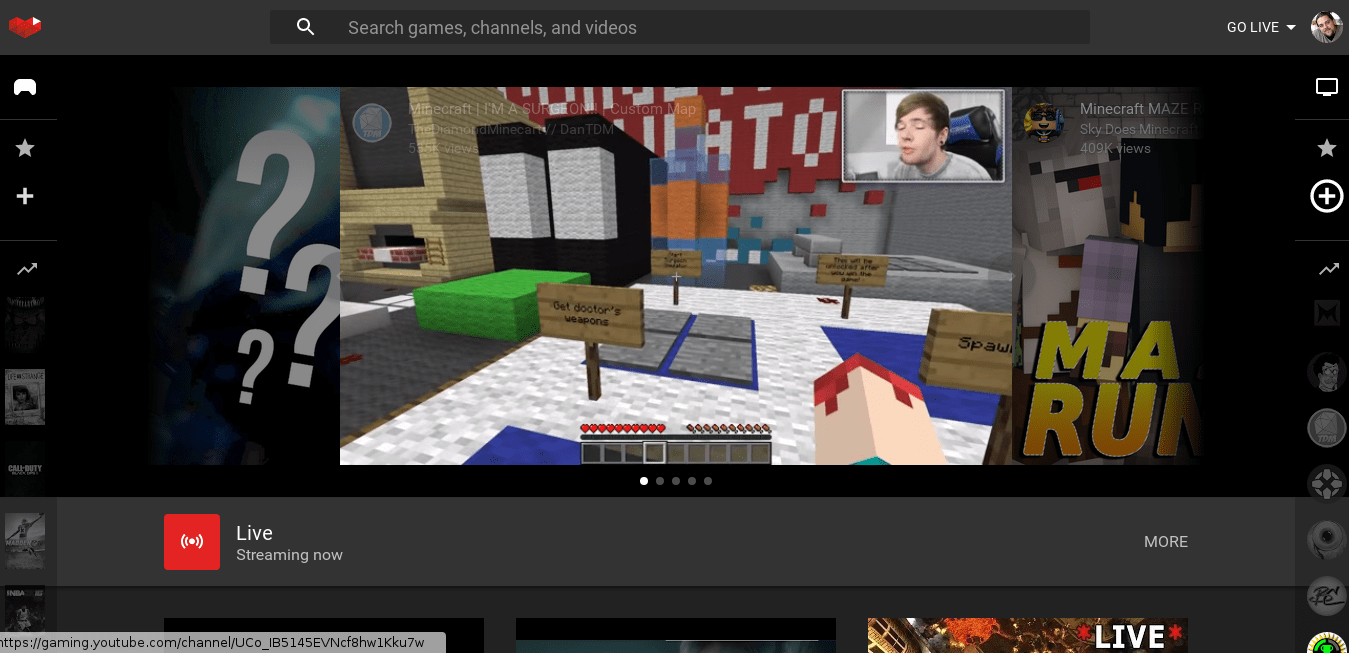
YouTube launched YouTube Gaming – a YouTube built for gamers. The blog post describes:
On YouTube, gaming has spawned entirely new genres of videos, from let’s plays, walkthroughs, and speedruns to cooking and music videos. Now, it’s our turn to return the favor with something built just for gamers.
It’s a good thing they mentioned these different genres, because they way I saw it was mostly kids watching other kids playing games. Apparently, that’s a thing these days (see Twitch, for example). That’s something I can’t understand with my son – instead of actually playing the games, he is watching other people playing. What’s that all about?
I’ve just discovered some sad sad news. Alex King, one of the bigger people in the WordPress community for years, is fighting a stage 4 cancer battle. Alex is well known for a few things, most notably for his design of the Share icon, his contributions to WordPress core, and his work as a founder of Crowd Favorite.
I’ve never met Alex or spoke to him directly, but his work is a constant inspiration. From the early days, when I was promoting WordPress as a flexible platform for web application development, I used his work for powerful examples. I’ve also built projects using Carrington Core framework. This blog ran both Carrington Blog and FavePersonal themes for quite some time. I’ve used Capsule for a while to manage my code snippets and project notes, and I’m sure I’ll use it again. I’ve used (and still using) quite a few plugins that he was involved with – Social, Twitter Tools, Old Post Alert, Delink Comment Author, and others. I’ve been an occasional reader of his blog. And, of course, like anyone else using WordPress, I’ve benefited from his work.
The time has come to return a favor. Alex is compiling some information about his work and career for his 6 year old daughter to learn more about him. So if you met Alex, communicated with him, or benefited from his work – take a couple of minutes to share your experience. He well deserves that.
To Alex: thank you for all your work. It’s inspirational and educational. Stay strong!
ImageMagick is one of my favorite tools ever. I’ve used for years for a whole lot of different things – from simple image resizing, through animation generation, to palette manipulation. And still, I don’t really know it that well, so when I see articles like this – “Efficient Image Resizing With ImageMagick“, I get excited. Not only it gives you a better way of doing things, but it also explains the path of how to get there. From a simple command like:
convert input.jpg -resize 300 output.jpg
to something as advanced as this:
mogrify \
  -path OUTPUT_PATH \
  -filter Triangle \
  -define filter:support=2 \
  -thumbnail OUTPUT_WIDTH \
  -unsharp 0.25x0.25+8+0.065 \
  -dither None \
  -posterize 136 \
  -quality 82 \
  -define jpeg:fancy-upsampling=off \
  -define png:compression-filter=5 \
  -define png:compression-level=9 \
  -define png:compression-strategy=1 \
  -define png:exclude-chunk=all \
  -interlace none \
  -colorspace sRGB \
  -strip INPUT_PATH
What’s even more exciting is that it looks like this optimization will make its way into WordPress 4.4, together with some other improvements for the responsive images.
Super cool!