Category: Web work
These days, most of my work is very related to the online world. Building web sites, reviewing web applications, integrating with web services, coordinating people who are far away from each other, etc. Whenever I find a new tool or service or an innovative, interesting idea about working online, I share it in this category.
Project Shield – a DDoS protection layer from Google
Project Shield is not a mainstream service yet, just an idea that Google is trying out, but still, I think it’s worth a mention.
Project Shield is an initiative launched by Google Ideas to use Google’s own Distributed Denial of Service (DDoS) attack mitigation technology to protect free expression online. The service allows other websites to serve their content through Google’s infrastructure without having to move their hosting location.
There is also a video:
GitHub error pages
I’ve praised GitHub many a time in posts on this blog and in numerous conversations over a pint. Today, I found yet another reason to do so – GitHub error pages. We’ve all seen a parallax 404 by now, right?
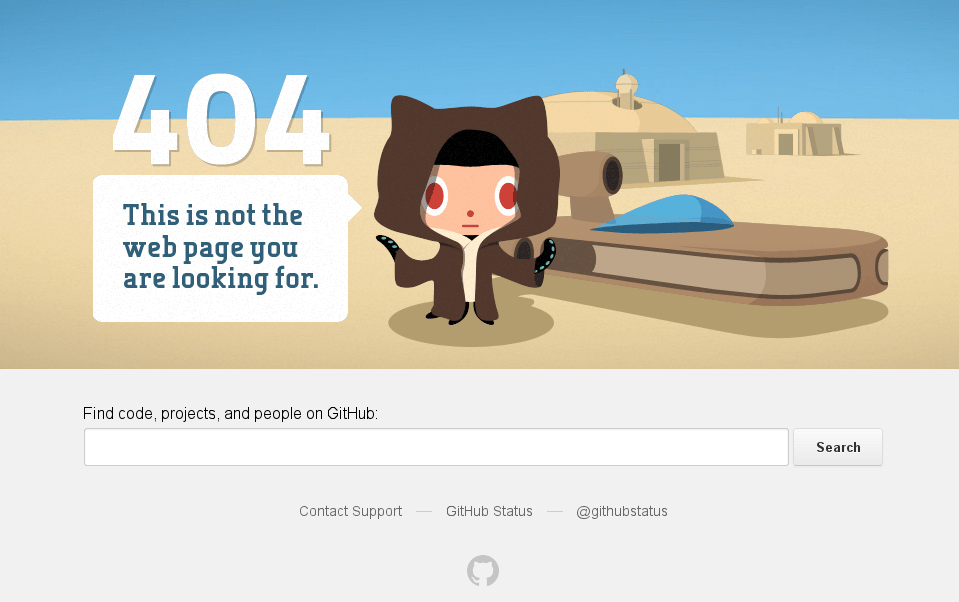
Today was the first time I looked into the source code of the page. It greets one with the following words right under the HTML 5 Doctype definition:
Hello future GitHubber! I bet you’re here to remove those nasty inline styles,
DRY up these templates and make ’em nice and re-usable, right?Please, don’t. https://github.com/styleguide/templates/2.0
The link provides even more goodness. The list of other (all?) GitHub error templates is provided with explanation of which one fires when, as well as an insightful list of rules that GitHub uses for building error pages. Have a look:
If you’re visiting from the internet, feel free to learn from our style. This is a guide we use for our own apps internally at GitHub. We encourage you to set up one that works for your own team.
Error pages should be built such that they require zero scripting, zero javascript, and zero dependency on anything whatsoever. That means static HTML with inline CSS and base64-encoded images.
The following are banned from every error page:
- All
<script>tags with ansrcattribute.- All JavaScript that loads external data.
- All
<link>tags.- All
<img>tags with ansrcpointing to a URL.
It’s things like that that keep me coming back and looking for more web development elegance all around GitHub.
Finally, Google+ allowed people to have readable U…
Finally, Google+ allowed people to have readable URLs. Here is mine: https://www.google.com/+LeonidMamchenkov
WordPress plugin repositories
WPTavern covers an interesting early stage development of WordPress plugin installations directly from GitHub source code repositories. Here is a quick video on how it works:
That got me thinking.
WordPress.org provides an API for plugins checks and updates. WordPress software allows a plugin to overwrite the location of the repository. But it still doesn’t seem to cover all the bases. What if I want to install plugins from several repositories now? Say – the official WordPress plugin repository, GitHub, and my personal or corporate repository. There might be a way, but it seems tricky and non-standard.
I’ll look more into it, of course, but I think there should be a standardized way to setup WordPress plugins (or even themes) repository, and add it to a list of repositories that WordPress checks for updates. Something along the lines of YUM and APT in Linux.