5 AWS mistakes you should avoid

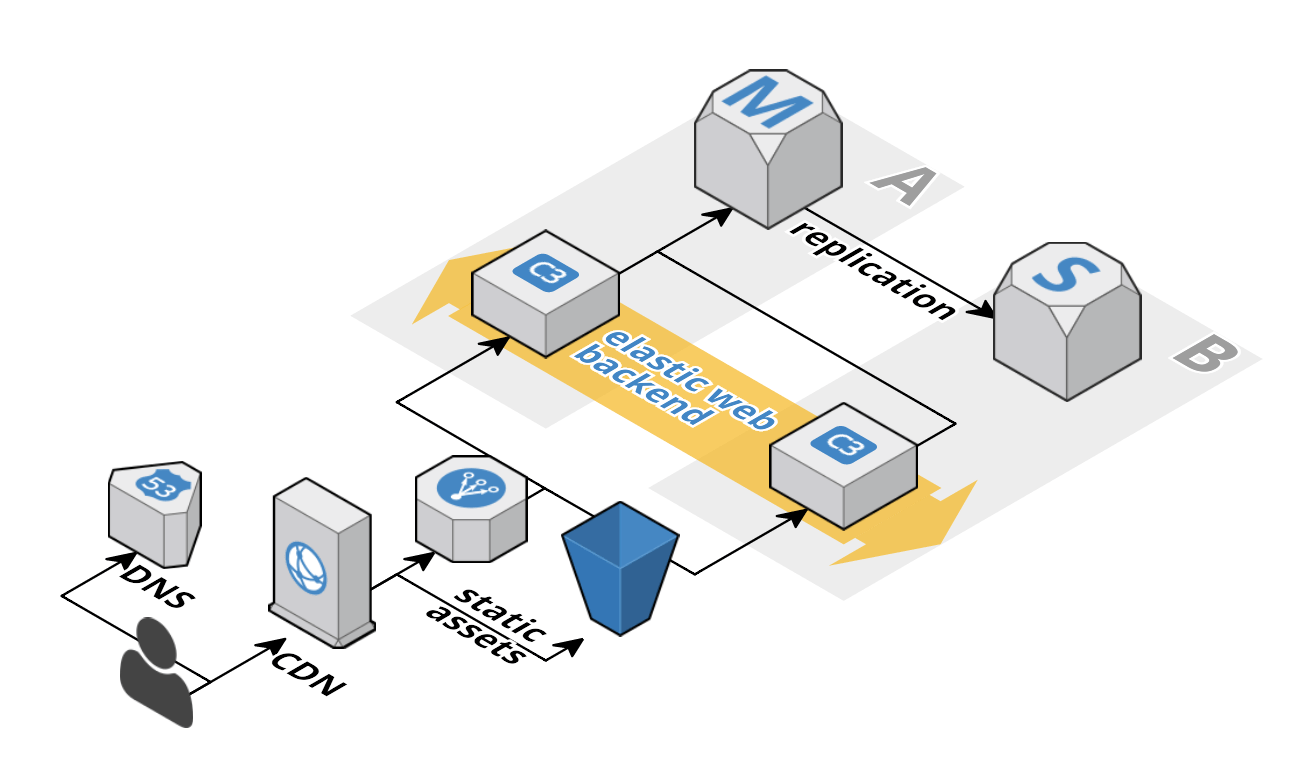
5 AWS mistakes you should avoid” is a rather opinionated piece on what you should and shouldn’t do with your infrastructure, especially, when using AWS.  Here’s an example:

A typical web application consists of at least:

  • load balancer
  • scalable web backend
  • database

and looks like the following figure.

typical-web-application

This pattern is very common and if yours look different you should have (strong) reasons.
It’s all good advice in there, but it comes from a very narrow perspective.  The “mistakes” are:

  • managing infrastructure manually
  • not using Auto Scaling Groups
  • not analyzing metrics in CloudWatch
  • ignoring Trusted Advisor
  • underutilizing virtual machines

Amazon Makes It Almost Impossible To Calculate Their “Virtual CPU” Equivalent

So, it looks like I’m not the only one trying to figure out Amazon EC2 virtual CPU allocation.  Slashdot runs the story (and a heated debate, as usual) on the subject of Amazon’s non-definitive virtual CPUs:

ECU’s were not the simplest approach to describing a virtual CPU, but they at least had a definition attached to them. Operations managers and those responsible for calculating server pricing could use that measure for comparison shopping. But ECUs were dropped as a visible and useful definition without announcement two years ago in favor of a descriptor — virtual CPU — that means, mainly, whatever AWS wants it to mean within a given instance family.

A precise number of ECUs in an instance has become simply a “virtual CPU.”

Amazon EC2 t2.nano instances

If you thought t2.micro was a tiny machine, I have news for you – Amazon announced t2.nano instance type.  It features 512 MB of RAM, 1 vCPU, and up to two Elastic network interfaces.  Price for on-demand instance – $0.0065 per hour.

This instance type is perfect for small websites, developer and testing environments, and other tasks which don’t require a lot of resource.

CPU Steal Time. Now on Amazon EC2

Yesterday I wrote the blog post, trying to figure out what is the CPU steal time and why it occurs.  The problem with that post was that I didn’t go deep enough.

I was looking at this issue from the point of view of a generic virtual machine.  The case that I had to deal with wasn’t exactly like that.  I saw the CPU steal time on the Amazon EC2 instance.  Assuming that these were just my neighbors acting up or Amazon having a temporary hardware issue was a wrong conclusion.

That’s because I didn’t know enough about Amazon EC2.  Well, I’ve learned a bunch since then, so here’s what I found.

Continue reading CPU Steal Time. Now on Amazon EC2

NAS Performance: NFS vs Samba vs GlusterFS

I came across this question and also found the results of the benchmarks somewhat surprising.

  • GlusterFS replicated 2: 32-35 seconds, high CPU load
  • GlusterFS single: 14-16 seconds, high CPU load
  • GlusterFS + NFS client: 16-19 seconds, high CPU load
  • NFS kernel server + NFS client (sync): 32-36 seconds, very low CPU load
  • NFS kernel server + NFS client (async): 3-4 seconds, very low CPU load
  • Samba: 4-7 seconds, medium CPU load
  • Direct disk: < 1 second

The post is from 2012, so I’m curious if this is still accurate. Has anybody tried this? Can confirm or otherwise?

Also, an interesting note from the answer to the above:

From what I’ve seen after a couple of packet captures, the SMB protocol can be chatty, but the latest version of Samba implements SMB2 which can both issue multiple commands with one packet, and issue multiple commands while waiting for an ACK from the last command to come back. This has vastly improved its speed, at least in my experience, and I know I was shocked the first time I saw the speed difference too – Troubleshooting Network Speeds — The Age Old Inquiry