Blog of Leonid Mamchenkov

You just stepped in a pile of posts.

Entries Tagged ‘security’

OpenSSH 5.4 released

Now that I have a bit more time on my hands, I am catching up with all the RSS feeds, news, and announcements that I’ve missed recently.  One of them was the release of OpenSSH 5.4 – a tool for pretty much every Linux user.  There are a few interesting bits in the changelog:

Added a ‘netcat mode’ to ssh(1): “ssh -W host:port …” This connects stdio on the client to a single port forward on the server. This allows, for example, using ssh as a ProxyCommand to route connections via intermediate servers.

and

Add a ‘read-only’ mode to sftp-server(8) that disables open in write mode and all other fs-modifying protocol methods.

Also, it was mentioned that sftp got a whole lot of improvements, including tab completion, user-friendly sizes option, recursive transfers, etc.

Overall, a very welcome release.

On privacy

Blogoscoped quotes Google executives on the issue of privacy.

Eric Schmidt:

“If you have something that you don’t want anyone to know, maybe you shouldn’t be doing it in the first place.” Eric goes on to say, “But if you really need that kind of privacy, the reality is that search engines – including Google – do retain this information for some time. And it’s important, for example, that we’re all subject in the United States to the Patriot Act… it is possible that that information could be made available to the authorities.”

Marissa Mayer:

“I really feel that the virtual world follows the physical world … There’s very few things you can do anonymously in the physical world. I think that over time, on the internet, there will be less anonymity. And I actually think that’s good; I think it creates, you know, more accountability, people acting more responsibly.”

And here is a quote from law #9 – Absolute anonymity isn’t practical, in real life or on the Web – from Microsoft’s own 10 immutable laws of security:

All human interaction involves exchanging data of some kind. If someone weaves enough of that data together, they can identify you. Think about all the information that a person can glean in just a short conversation with you. In one glance, they can gauge your height, weight, and approximate age. Your accent will probably tell them what country you’re from, and may even tell them what region of the country. If you talk about anything other than the weather, you’ll probably tell them something about your family, your interests, where you live, and what you do for a living. It doesn’t take long for someone to collect enough information to figure out who you are. If you crave absolute anonymity, your best bet is to live in a cave and shun all human contact.

Technology helping criminals

The Next Web reports that a Dutch insurance company is warning its clients to not blog or Twitter their vacations.

According to the company criminals are using social networking tools to find possible victims. In the past, these criminals used to check mailboxes (full mailbox = probably away for the week) which houses they could break into. Now they use digital means to find their victims.

While I understand the concern, I don’t agree with it.  Technology is a just a tool, making people more efficient at certain things.  If you don’t blog or Twitter your vacation plans, there’s still a billion ways to find out about them.

Criminals have been doing their stuff for years.  And if they don’t mind digging through the social networks and geo-locating your house, they definitely don’t mind talking to your neighbours, colleagues, and family, calling your home and mobile phones, monitoring your entrance door, and whatever else it takes to break-in and steal stuff from you.

Does the technology make it easier for them? Maybe for some and not for the other.  But regardless, if you want to let your friends and family know that you won’t be available in the next few days, because you are going on vacations, I think you should.  If you think that your blog, Twitter, or any other social network is the appropriate tool for that, then use it.

I’m all for keeping it safe and all, but I’d hate to live with constant fear of becoming a victim.  Stuff happens, and often we don’t have control over it.  But it’s not a good enough reason to lock ourselves in the basement.

What happened?

The long story short : I lost my blog, as well as a few other web sites.

Here goes the longer version.  I have been moving a whole bunch of web sites from my reseller hosting account at EuroVPS to a brand new VPS account at VAServ.  Site by site, blog by blog, database by database.  To keep things simple, once I made sure that the site was moved properly, I deleted the copy from the old hosting (after a week or so).

When I was almost done with the move and there were just a few more left, something really bad happened a VAServ.  All company’s servers got compromised.  The attackers gained control over thousands of VPS accounts across hundreds of servers, and then they deleted whatever they could.  The effect of this was so devastating that it was extensively covered in the news.

According the VAServ, hackers utilized a security hole in the HyperVM software, which was written by LXLabs.  Apparently, HyperVM is known for its poor security, but things never went wrong at this scale. (In other news, LXLabs founder was found dead in a suspected suicide a day or so later.  And the rumour has it that the break-in had nothing to do with HyperVM, but was VAServ negligence)

Now for the most interesting part of the story – the lost data.  How did that happen?  OK, the company got hacked and all data was deleted.  But what about the backups?  It turned out, there were no tape backups.  The only backups VAServ had were on the network storage.  And, of course, that data got deleted by the attackers.  Imagine that.  Web sites, databases, emails, DNS records.  Everything is gone.  Well, not everything – they managed to recover some servers, but not all by far.

My sites were on one of those servers which experienced 100% data loss, and which had no backup.  That was when I contacted EurVPS support and asked them to restore my recently deleted sites from tapes.  After all, it’s better to lose a few weeks of work, rather than a few years.  Guess what?  It turned out, EuroVPS has no backups either.  When I insisted, saying that backups are a part of my hosting plan, they corrected themselves and said that they have backups, but, as advertised on the site – weekly only.

Screenshot

Screenshot

Let me ask you a simple question.  How do you understand the phrase “weekly backups on tape”?  My understanding was that there’s a scheduled backup task (every weekend or  so), which dumps data on tapes, and those tapes are moved out of the building somewhere.  Eventually, of course, they are rotated (monthly, or annually, or so).  But there is a certain period which you can go back to and restore from those weekly tapes.

It so happened, my understanding was wrong.  Weekly tape backup means one backup within a week on tape.  That is, there is no way to go more than one week back using tape backups.  I was shocked a bit, but there was still a chance to get something.  I clearly remember that I deleted two sites five days ago.  I asked EuroVPS support to restore at least those.  To which they replied that those two sites aren’t on the backups either.

What?  How? Err…  I know, of course, that the loss of data is my fault as much as theirs. I should have done my own backups, downloading them to my own machine.  And I’m deeply sorry for not doing so.  But on the other hand, having paid for hosting, I do expect uninterrupted power, redundant network connection, and properly organized backups.  If that’s not how commercial hosting is different from home servers, than I don’t know how.

Currently, I am setting up a new VPS host, reconfiguring domains for the new IP, installing a bunch of WordPress blogs, and issuing a whole lot of apologies.  Those things that can be recovered, will be recovered.  Those things that were important and were lost, will be started a new.  And those things that were not important and were lost, will remain lost.

Let this be yet another painful lesson on the importance of backups.

Passwords are like women

I don’t know if this was posted by someone else somewhere else before (probably it was), but that’s what I came up with yesterday, while explaining our password policy to one of the (male) colleagues.

Passwords are like women:

  • you should have as many of them as you can
  • you should change them as often as you can
  • you should never share them with another man

Judging by reaction, I got the point across.

Compromised!

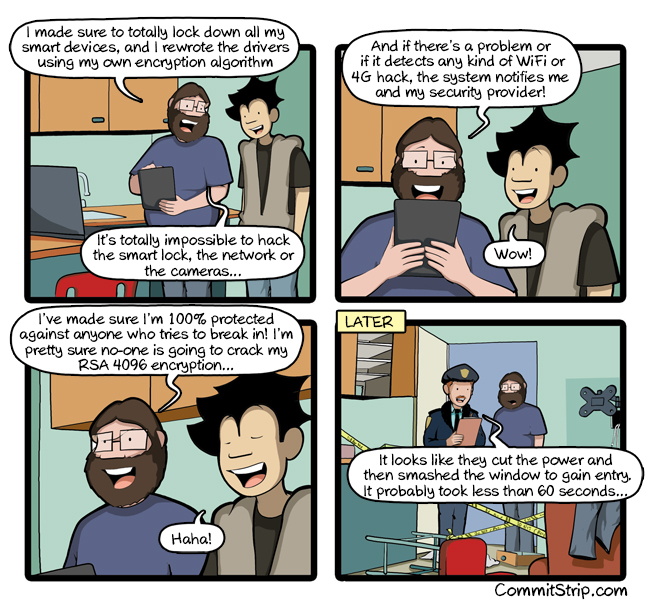
It appears that this blog has been recently compromised.  Big thanks to one of the readers for bringing it up and letting me know.  Especially, since the compromise was hard to notice – one of the recent posts was modified with a blog of hidden markup that contained some SPAM links.

I am still looking into when and how this happened.  The blog is powered by the latest version of WordPress (2.3.3), but a few plugins were outdated (it’s been a month or so since the last update).  I have edited the post to remove the SPAM links and I’ve upgraded all plugins to their latest versions.  I’ll also limit access to administration interface by IP (yes, I know it’s easy to go around, but I think it’ll keep most of the bots out).

If you have any other suggestions on what and how to do, please let me know via comments or directly.

Gmail filter activity feature wish

Since my Gmail account gets all my mail from all my email address, I have a huge list of filters configured to sort all that mail the way I want.  After reading this post, I got a bit worried and went to check if there were any filters in my account that I haven’t created.

That was the moment when I got this idea for a new feature – filter activity report. This should work similar to how feed activity works in Google Reader.  With a tiny bit of statistics it easy to drop inactive feeds to clear up the  list of your subscriptions.  The same way, it should be easy to drop old and inactive filters from Gmail.  It should be pretty trivial to do.  Even interface-wise it should be pretty easy with something like “Last used on [insert date here]” indication near each filter in the filter management screen.

Have you thought about …

… what would happen if your Google account get stolen?  I know I haven’t.  And I don’t want to.  That would like losing a house in the flames, with all valuables inside it turning to ash.  Something of that magnitude, but worse.

I need to do a backup or something.  Do you?

RIPE DNS/DNSSEC course

Most of today I spent in the Mediterranean hotel. Together with about twenty other administrators from most Cyprus ISPs, I attended DNS/DNSSEC course given by RIPE NCC.

[Read the rest of this entry...]

Signed up for Google Analytics

Everyone and their brother is talking about the new Google service – Google Analytics. Basically, this is a smart way of getting website statistics. Instead of installing and configuring a local web log analyzer, you just sign up for the Analytics, insert some JavaScript code into your website and have the best stats ever made ready for you. Or not.

Google Analytics is called the biggests failer release by many. Things didn’t work as they were supposed to. Instead of fast and dynamic stats, people wait in queue for their statistics. Lots of bugs and lots of misbehaviors. I signed up myself and I had to wait for alsmost 12 hours for the site to be accepted. And now I have to wait for another 12 hours (or so I am promised) to get the first reports.

For me the idea of having stats done by Google is a pleasant one. If I think Google can do one thing right that wold be data aggregation. The paranoids all around us make lots of noise about privacy concerns and Big Brother is watching you conspiracies. Well, I simply don’t care.

Those of you who do care and want to avoid being tracked by Google can easily do so. All you need to do is block your browser from doing HTTP requests to “www.google-analytics.com”. Read this good article on the subject.